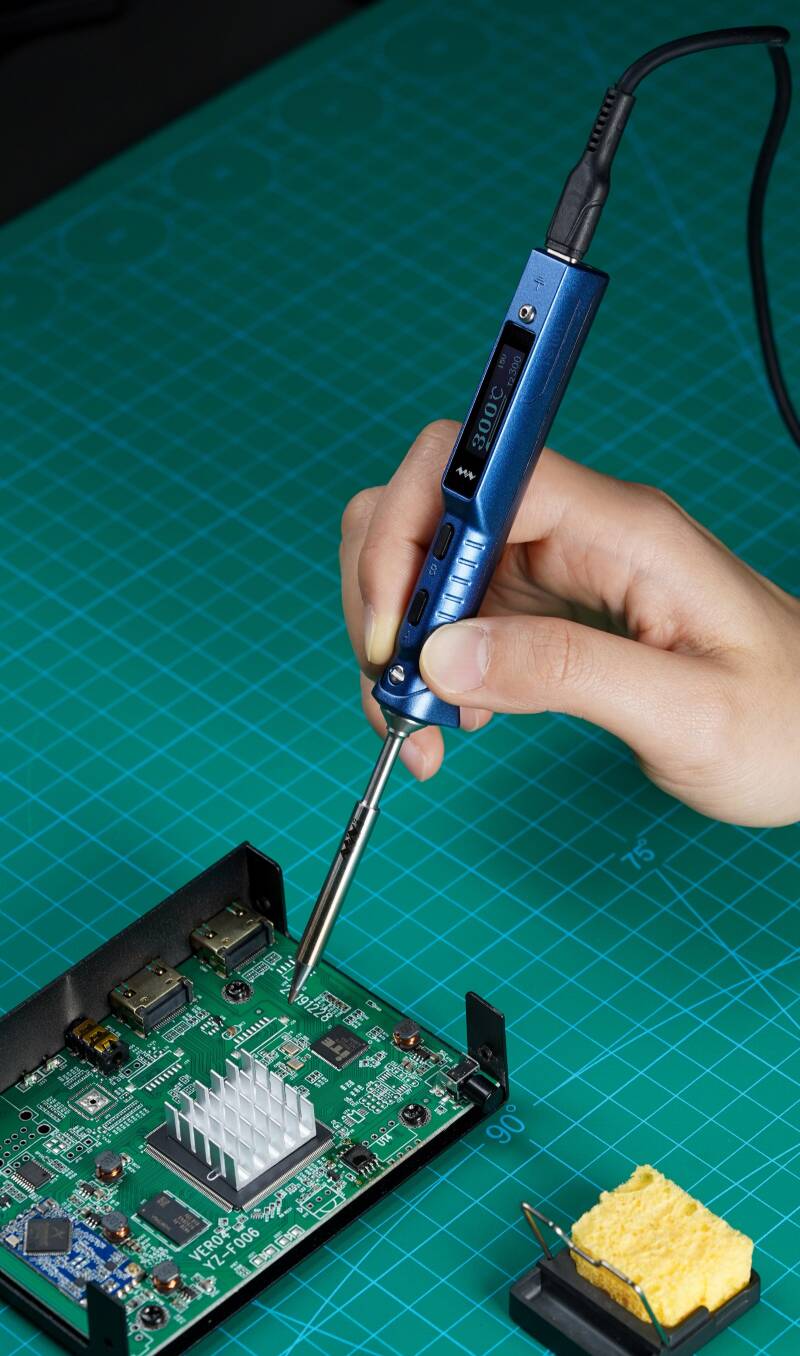
My Go-To Soldering Iron – The Miniware TS101
If you've followed LY Repairs for a while, you'll know that I'm always on the lookout for tools that genuinely make repairing electronics easier. Every now and then, you come across a piece of equipment that earns a permanent place on your workbench, and for me, the Miniware TS101 Smart Soldering Iron is one of those tools.
I've used a fair few soldering irons over the years, from cheap plug-in models to professional stations costing hundreds of pounds. While they all have their strengths, the TS101 surprised me with just how much performance it packs into such a compact design.
Whether I'm replacing a USB-C port, repairing a damaged PCB, or simply soldering a few wires together, it's usually the first iron I reach for.
Small Size, Serious Performance
At first glance, the TS101 doesn't look like a traditional soldering iron. It's lightweight, modern, and incredibly portable, but don't let its size fool you.
Once connected to a decent USB-C PD power supply or DC power source, it heats up in just a few seconds. I don't find myself waiting around for it to reach temperature—it's ready almost as soon as I've picked up the solder.
That quick start-up makes a real difference when you're carrying out several repairs throughout the day.
What I Like Most
Fast Heating
One of the biggest advantages is how quickly the iron reaches working temperature. It saves time and keeps my workflow moving, especially when I'm jumping between different repairs.
Crystal Clear Display
The built-in OLED screen is bright, easy to read, and lets me adjust temperatures quickly without digging through complicated menus.
It's a small feature, but one I appreciate every time I use it.
USB-C Power
I really like the flexibility of being able to power it using a USB-C PD charger.
If I'm working away from my main bench, I can even run it from a suitable power bank, making it ideal for mobile repairs or working on-site.
Comfortable to Use
Because it's lightweight and well-balanced, I find it much less tiring to use during longer repair sessions.
For precision soldering, comfort matters just as much as performance.
Perfect for Electronics Repairs
Most of my work involves repairing modern electronics, and the TS101 has handled everything I've thrown at it.
It's great for:
- PCB repairs
- Replacing charging ports
- Soldering wires
- Installing connectors
- Arduino and Raspberry Pi projects
- General electronics work
- Hobby projects
With the right tip fitted, it offers excellent control for both delicate work and larger solder joints.
The Features That Stand Out
Some of the features I use regularly include:
- Rapid heat-up time
- Adjustable temperature settings
- USB-C Power Delivery compatibility
- Sleep mode to extend tip life
- Automatic standby mode
- Firmware updates
- Compact and portable design
- Interchangeable soldering tips
These aren't just nice extras—they're features that genuinely improve everyday use.
Is It Worth Buying?
In my opinion, absolutely.
If you're only soldering once every couple of years, a basic soldering iron will probably do the job.
But if you're regularly repairing electronics, building projects, or learning to solder properly, the TS101 is well worth the investment.
It delivers professional-level performance without taking up half your workbench.
My Verdict
The Miniware TS101 has become one of those tools that I don't really think about anymore—it simply works.
That's probably the highest compliment I can give any piece of equipment.
It's reliable, heats up incredibly quickly, feels great in the hand, and gives me the confidence to tackle everything from simple repairs to delicate board-level work.
If I were starting my electronics workshop from scratch today, this would be one of the very first tools I'd buy.
Final Thoughts
Technology should make life easier, and the Miniware TS101 does exactly that. It combines portability with excellent performance, making it a brilliant choice for hobbyists, makers, and professional repair technicians alike.
For me, it's become an essential part of the LY Repairs workbench, and I can't see that changing any time soon.